Kitchen Ninja — Knife Thrower
- 4.7
- Rating
- 100.00K
- Installs
- Free
- Price

 Analysis by App-foxy
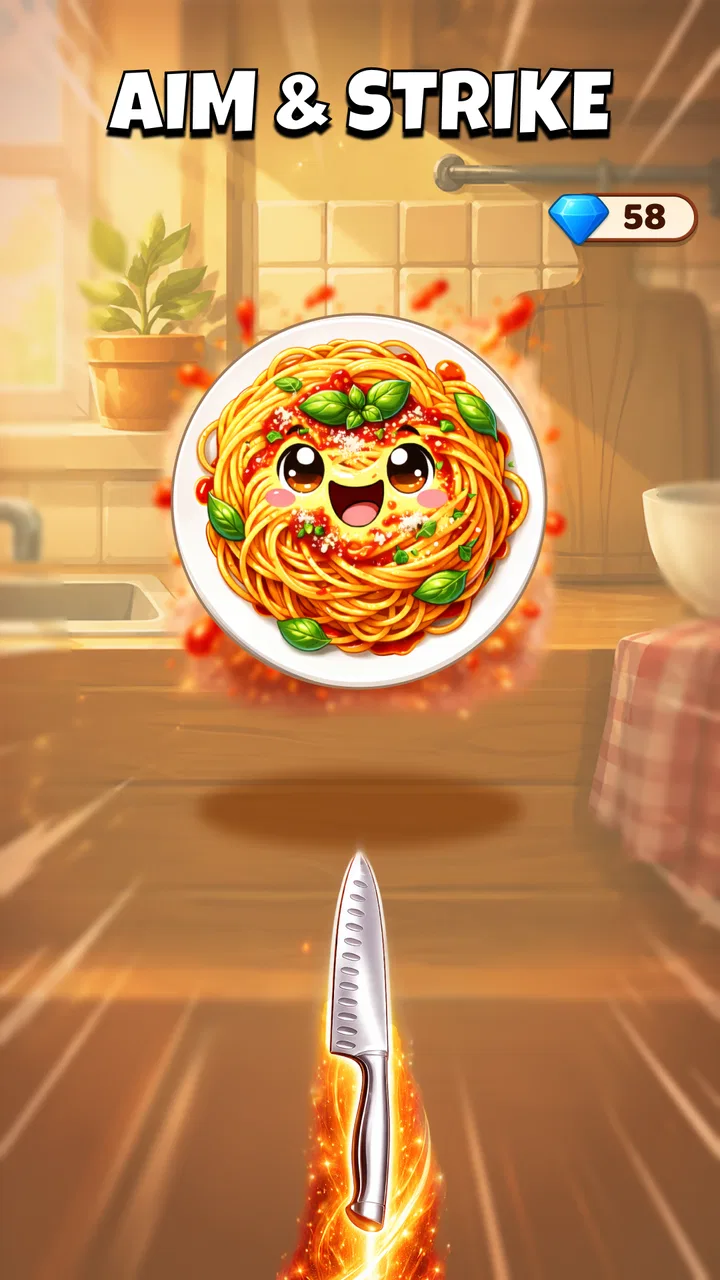
I picked up Kitchen Ninja — Knife Thrower expecting a quick casual distraction, and that is exactly where it works best. The idea is simple: throw knives at unruly fruit and vegetables until the kitchen feels under control again. It is playful, slightly ridiculous, and easy to understand within moments. I do not need a tutorial-heavy evening or a long explanation before handing it to someone else.
That simplicity makes it especially interesting on a shared phone or tablet. One person can play for a few minutes, pass the device across the table, and let someone else try without needing to learn a complicated control scheme. I found myself treating it less like a game I had to settle into and more like a small challenge I could open whenever I had a spare moment. That is a strength, although it also means players looking for a deep progression system may quickly want more.
How Kitchen Ninja fits into a shared household
I find Kitchen Ninja especially easy to fit into a shared household because a turn can be brief and the basic action is simple to demonstrate. Before passing the device around, I’d agree on a turn limit and keep purchase decisions with the account owner; that leaves the game itself as a light challenge rather than a source of confusion.
You May Also Like

 AccuWeather: Weather Radar
AccuWeather Review: A Quick, Clear Forecast for Everyday Decisions
For everyday plans, the best forecast is the one you can understand quickly. AccuWeather makes rain timing, radar, and local conditions easy to act on, with a few trade-offs.

 Hill Climb Racing
Why Hill Climb Racing Still Turns Crashes Into One More Run
A tiny car, a bumpy hill and one more upgrade: Hill Climb Racing keeps resurfacing because its simple chaos makes every near-miss feel personal.

 AliExpress - Shopping App
AliExpress Makes Global Shopping Feel Personal, but Shoppers Bear the Risk
AliExpress turns a global marketplace into a pocket-sized discovery engine. Its reach is useful, its shopping loop compelling, and its trade-offs easy to miss.

 Lords Mobile: Kingdom Wars
Lords Mobile Is a Kingdom-Building Routine, Not a Quick Match
A case-by-case verdict on the building, battles, device demands, and social commitments that make Lords Mobile rewarding for some players and exhausting for others.

 PDF Scanner app - TapScanner
TapScanner Makes Paperwork Easier to Capture, Check, and Share
TapScanner makes scanning with a phone feel less like a rescue operation and more like a dependable step in getting work done. Its capture tools are useful, though not flawless.

 Block Blast!
 Shows How Much a Puzzle Game Can Leave Out
A quiet grid game shows why puzzle players increasingly value instant clarity, repeatable skill and low-pressure play—and where the genre still needs to catch up.
More From Our News Desk
View All News


A quick game for passing around
The most natural use case is a short break at home. Imagine waiting for dinner to finish, sitting with family after school, or sharing a device during a quiet moment. The game’s central action is immediately readable: aim, throw, and try to deal with the moving produce. That makes it suitable for informal turns rather than a long solo session where one player controls the device for an hour.
I like that the premise does not depend on knowing a fictional universe, following a story, or remembering a complicated set of rules. A new player can watch one attempt and understand the basic objective. In a household where people have different gaming experience, that matters more than flashy presentation. Someone who rarely plays mobile games can still take a turn without feeling as if they have already fallen behind.
There is also a useful social rhythm in the failure-and-retry loop. A missed throw is visible immediately, so another person can offer a practical suggestion such as waiting longer or changing the angle. That turns the game into a small coordination activity instead of a completely solitary experience. I would not call it a full multiplayer game, but it works well as a pass-and-play conversation starter.
Why the casual format is both useful and limited
As a casual game, it respects short attention spans. I can play while taking a break without committing to a lengthy match or a complicated mission. The free download also lowers the barrier for trying it on a household device, while optional purchases ranging from $2.99 to $14.99 per item mean the word “free” should not be interpreted as meaning that every possible part of the experience costs nothing.
That purchase structure is one reason I would establish expectations before giving the device to a child or guest. I would not assume that everyone understands the difference between downloading a game for free and making a purchase inside it. The safest household routine is simple: the device owner decides whether purchases are allowed, and other players ask before spending anything. That is not a special feature of this game; it is sensible practice for any free-to-start mobile title.
The trade-off is clear. Players who enjoy compact challenges and repeated attempts will probably appreciate the focused design. Players who want a large map, character development, a story campaign, or a long list of unlockable activities should look toward a more substantial casual game. Kitchen Ninja is better understood as a repeatable reflex game than as a broad entertainment package.
Setting boundaries before handing over the device
The game is marked for Everyone, which makes its cartoonish kitchen conflict feel approachable rather than aimed at a mature audience. Still, an age label does not replace a quick conversation with younger players. I would explain that the goal is playful timing, not real-world knife use, and I would keep the device owner responsible for any account or purchase decisions.
That distinction is especially important on a shared tablet. If several people use the same device, the game may become associated with the account already signed in to the app store. I would check who is using the device, whether payment approval is required for purchases, and whether the child understands that tapping a purchase button can have consequences. The game itself can be easy to pass around while the surrounding account belongs to one person, so those two boundaries should not be confused.
I also prefer agreeing on turns in advance. A simple rule such as “one attempt each” or “five minutes per person” avoids the familiar household argument where the strongest player keeps the device. Because the game is built around quick attempts, it suits these limits naturally. The important point is to make the turn system a household choice rather than expecting the app to organize it for you.
Coordination makes the simple mechanics more enjoyable
When I played with another person watching, the best advice was not to rush. The throw looks straightforward, but the timing creates the real challenge. A spectator can notice patterns that the player misses, especially after a few failed attempts. Calling out “wait” or “now” can help, but it can also become distracting, so I found that short, calm suggestions worked better than constant instructions.
This creates a small but worthwhile lesson in coordination. The player controls the action, while the observer offers timing feedback. If the player is young or inexperienced, I would let them make the final decision instead of taking over. That keeps the game from turning into an adult solving the challenge for them. The most satisfying moments came when advice was offered once, then the player adjusted independently.
For a shared-device session, I would also avoid comparing every result too aggressively. A reflex game can be funny when attempts go wrong, but repeated teasing can quickly make a younger or less experienced player stop participating. The better approach is to treat each turn as a fresh experiment: change the timing, try a different angle, and see whether the next throw behaves better.
One practical tip is to hold the device steady and keep the screen at a comfortable distance before starting. That sounds obvious, but passing a phone between people often leads to awkward grips and accidental taps. I found that a stable two-handed hold made the action easier to judge, particularly when playing in a noisy room where concentration was already limited.
What the game asks from different age groups
For children, the appeal is the clear theme and immediate action. They do not need to understand a complex objective before enjoying a turn. For teenagers and adults, the attraction is more likely to be improving timing and trying to beat a previous attempt. That difference matters because the same game can feel fresh to a beginner and repetitive to someone who has already mastered its basic rhythm.
I would recommend it most readily to households that enjoy light competition without requiring a formal scoreboard or a long session. It can fill a few minutes while still giving players something definite to do. I would be more cautious about recommending it to someone who dislikes repeated failure, because the appeal depends on trying again after a missed throw rather than moving through a rich narrative.
The Everyone rating also makes it easier to consider for a mixed-age household, but trust still comes from supervision and clear expectations. I would let a child play independently only when I was comfortable with the device’s account setup and the child’s understanding of in-app spending. The age label describes the content context; it does not decide how a particular family should share a device.
Performance, access, and version context
The game supports devices running Android 7.0 or later, so its compatibility reaches back to older Android hardware. That is useful for households with a spare phone or an older tablet that no longer handles demanding games comfortably. I would still judge the experience by the actual device’s responsiveness and screen condition, because a casual game benefits from reliable touch input even when its minimum operating-system requirement is modest.
Bluetile is the developer behind the game, and the current version is 1.0.5. I see that version detail as useful when troubleshooting: if two household devices behave differently, checking that both are using the same current release is a sensible first step. It also helps avoid blaming the controls when the real issue is an outdated installation or an older device struggling with touch accuracy.
The game has passed the early discovery stage with over 100K installs and a 4.7 average from around 834 ratings. Those figures suggest that the straightforward concept has connected with many players, but they do not guarantee that every household will enjoy the repetition. I would use them as a sign that the basic loop is appealing, not as a substitute for deciding whether this particular style of game suits the people sharing your device.
Where it beats ordinary alternatives
Compared with a puzzle game, this feels more immediate. A puzzle may reward careful planning over a longer period, while Kitchen Ninja gives me a direct physical-style challenge that I can understand at a glance. Compared with an endless runner, it is less about steering through a constantly changing route and more about choosing the right moment to act. That makes it easier to explain to a first-time player.
It also has an advantage over larger casual games when the household goal is simply to share a quick activity. There is less to remember between turns, and a person can watch someone else play without needing a full account of the previous session. The kitchen theme gives the action a humorous identity rather than making it feel like an anonymous target practice exercise.
However, the same focus is its weakness beside deeper alternatives. If I want long-term goals, varied character abilities, strategic planning, or a story that develops over several sessions, I would choose another genre. Kitchen Ninja is not the game I would install for a long flight or a weekend of dedicated play unless I already knew that repeated timing challenges were enough to hold my attention.
Small strategies that improve the experience
My first useful adjustment was to stop treating every throw as a race. The visual joke encourages frantic tapping, but patience is more productive. I found it easier to watch the target’s movement for a moment, identify a repeatable opening, and then commit to the throw. This approach also gives spectators something constructive to discuss instead of simply reacting to misses.
A second tip is to separate learning from competition. On the first few turns, I would let a new player experiment without announcing a score goal. Once they understand the timing, a friendly challenge becomes more enjoyable. This is particularly helpful for children sharing with adults, because an immediate comparison can make the game feel unfair before the child has learned the rhythm.
A third trade-off involves audio and surroundings. In a busy kitchen or living room, spoken coaching and background noise can compete with concentration. I preferred short sessions in a calmer spot, especially when trying to improve rather than just make people laugh. If the room is crowded, the game still works as a quick joke, but it becomes less useful as a focused skill challenge.
Finally, I would keep the purchase conversation separate from the gameplay conversation. A player can enjoy the free core experience without being asked to decide about every optional item during a shared session. If the account owner wants to consider an in-app purchase, that decision should happen deliberately, with the amount understood beforehand. This keeps a casual family activity from turning into an accidental spending problem.
Who should install it and who should skip it
I would recommend it to someone who wants a free casual game with an instantly understandable premise, short attempts, and enough timing pressure to make retries interesting. It is a good fit for a shared phone, a family tablet, or a quick break when nobody wants to learn a complicated system. It is also a reasonable choice for introducing a less experienced player to mobile gaming, provided the device owner handles account boundaries responsibly.
I would skip it for anyone searching for a substantial solo adventure. The kitchen theme may be amusing, but it does not by itself provide the depth of a role-playing game, the discovery of an exploration title, or the sustained variety of a large strategy game. I would also hesitate to recommend it to players who become frustrated by repeating the same basic action after a failed attempt.
People who dislike in-app purchase prompts should pay attention to the free-to-start model before installing. The initial price is free, but optional items cost between $2.99 and $14.99 each. That does not make the game unsuitable, yet it does make household rules important, especially when a device is shared by adults and children under one store account.
My household verdict
After using it as both a solo time-filler and a pass-around game, I see Kitchen Ninja — Knife Thrower as a compact activity rather than a game that tries to occupy every spare hour. Its strongest quality is the low learning curve: someone can pick up the device, understand the joke, and attempt the central challenge almost immediately. That makes it unusually convenient for casual household use.
My recommendation comes with clear boundaries. Agree on turns, keep purchase approval with the account owner, and explain the playful nature of the knife theme to younger players. On a shared device, those habits matter as much as the game’s controls. The title is marked Everyone, but responsible sharing still depends on the people using it and the expectations set around them.
For me, the final decision is straightforward: install it if you enjoy quick timing challenges and want something that can be passed between people without a lengthy setup. Choose a different casual game if you need deeper progression, richer variety, or a more substantial reason to return. Within its narrow lane, Bluetile’s game is cheerful, accessible, and easy to recommend for short shared sessions, as long as everyone understands where the free download ends and optional spending begins.
FAQs for Kitchen Ninja — Knife Thrower
01What is Kitchen Ninja — Knife Thrower?
Kitchen Ninja — Knife Thrower is a fast-paced mobile game where players test their skills by throwing knives at various kitchen-themed targets. The game challenges users to achieve high scores while avoiding obstacles and hitting specific targets. It combines precision, speed, and strategy to deliver an engaging gaming experience.
02How does the gameplay of Kitchen Ninja work?
In Kitchen Ninja, players swipe the screen to throw knives at rotating targets, such as fruits and kitchen utensils. The goal is to hit the targets without hitting the same spot twice or missing entirely. As players progress, the game introduces more complex targets and faster rotations, increasing the challenge.
03What are the key features of Kitchen Ninja — Knife Thrower?
Key features of Kitchen Ninja include multiple levels with increasing difficulty, various themed stages, and a leaderboard for competitive play. The game also offers power-ups and special knives to enhance gameplay. Its intuitive controls and vibrant graphics make it accessible and enjoyable for players of all ages.
04Is Kitchen Ninja free to play, and are there in-app purchases?
Kitchen Ninja is free to download and play. However, it includes optional in-app purchases that allow players to buy power-ups, special knives, and other cosmetic items. These purchases can enhance gameplay but are not necessary to enjoy the full experience of the game.
05What devices are compatible with Kitchen Ninja — Knife Thrower?
Kitchen Ninja is available for both Android and iOS devices. It requires Android version 5.0 or higher and iOS version 10.0 or later. The game is optimized for both smartphones and tablets, ensuring a smooth and engaging gaming experience across different devices.
Pros
- Intuitive controls for quick mastery.
- Vibrant graphics enhance gameplay.
- Challenging levels keep you hooked.
- Regular updates with new content.
- Offline play available for convenience.
Cons
- Ads can interrupt gameplay.
- Limited character customization.
- In-app purchases can be pricey.
- Some levels feel repetitive.
- Occasional lag on older devices.

Kitchen Ninja — Knife Thrower
Gallery